User research
Understanding the users and customers for our ADMIRALTY products and services, is essential. User research is at the core of user-centred design at UK Hydrographic Office, helping us to learn about user needs, goals and how we can improve their experience.
Contents
User research process
When applying user research for new and improved services for the UK Hydrographic Office and ADMIRALTY, we broadly follow the GDS User Research guidance. Because of our specific user groups and their needs, some of these principles have to be adapted.
"...always start by learning about the people who will use it. If you do not understand who they are or what they need from your service, you cannot build the right thing." Learning about usres and their needs, https://www.gov.uk/service-manual/user-research/start-by-learning-user-needs
A successful, user-centred project should seek to understand the context for users. This helps teams more effectively meet their needs. We follow the phases of our UKHO Delivery Governance Framework, which maps closely to activities and methods in the GDS agile delivery model.
User research should be actively used throughout the phases of a product or service development. from exploratory activities to capturing context, to research that validates assumptions, tests hypotheses and improves experiences based on feedback and observation.
Typical activities for a Researcher in phases
- Understand project details and stakeholders involved
- Gather relevant reference materials
- Plans - Discovery plan, research plan
- Contribute to assumptions mapping
- Undertake stakeholder interviews - internal
- Know who your users are and what jobs they are trying to do - make user personas
- Conduct user interviews - note-taking, affinity mapping results
- Examine existing data
- Observe users in contextual settings
- Customer Journey map - for 'as is' end to end journey
- User Journey map - help make the 'as is' process being focused on
- Summarise Discovery phase Sometimes How Might We questions are incorporated at this stage to capture early hypotheses
- Understand project details and stakeholders, if different
- Create baseline metrics to understand successand how value will be added
- Based on discovery findings, help generate How Might We questions to capture early hypotheses
- Organise these on a value matrix
- Identify highest ranking elements to work on in priority order
- Use the Lean UX canvas
- Use the value proposition canvas
- Understand user needs further and access needs also
- Plan and recruit for user testing to validate assumptions
- Refine a 'to be' Customer Journey
- Refine a 'to be' User Journey
- Use these to generate a flow, task analysis
- Usability test basic prototypes
- Iterate designs and keep testing, building upwards
- Help development test accessibility and feasibility - if code is being used
- If start of coded development, help with storymapping and building backlog
- Establish a method for embedding user research using Lean UX in Agile
- Advocate, and plan for user testing being a sprint ahead
- Contribute to scrum ceremonies - stand-up, review, planning, retrospectives
- Help refine backlogs
- Use research to inform prototypes and sketches for user stories
- Ensure User Stories meet user need
- Set hypotheses
- Lead user testing - with the whole team observing if possible
- Iterate designs and re-test
- Work with Developers to ensure functionality, accessibility and usability are optimal
- Utilise early analytics, un-moderated testing and other automated feedback tools to measure user experience
- Work with Analyst / Architect teams to ensure flow is refined and delivered base don user need
- Adhere to Design System standards throughout
- If service is at Live, ensure there is a test plan
- Understand measures and baselines to review
- Review UX measures
- Ensure any UX Debt captured is addressed
- Work with Product and Research colleagues to review user / customer feedback
User research findings
We ensure that we folow the Market Research Society code of conduct when doing research and storing findings. GDPR should also be adhered to, and the way research findings are stored, categorised and organised will help them have a useful lifespan beyond a specfic project.
Analysing findings
Creating insight logs in projects can help easily view findings, filter by type and see patterns for affinity mapping. These are often made in a database like MS Excel and can be populated from notes taken in user testing. Keep each insight succinct and share the document with the wider team.
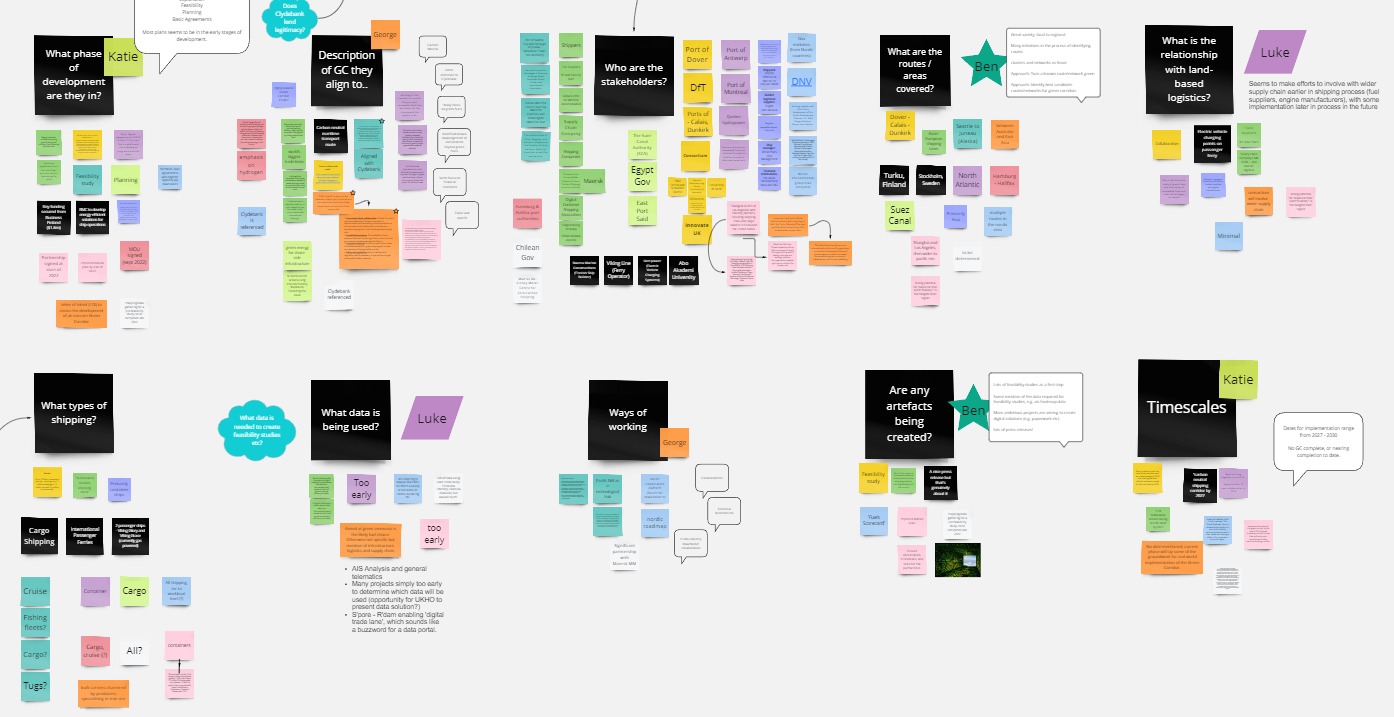
Affinity mapping is a good, collaborative activity to establish patterns in user feedback. Identifying common pain points, delights and epics and engaging wider stakeholders in this activity can really help refine assumptions. Try not to undertake analysis in isolation, and move as quickly as is appropriate, to keep content relevant and the team engaged.
Presenting findings
A presentation of insights and learnings is often used as the best format to share findings with the wider team, stakeholders and managers. Consider your audience and the scale of the feedback, is it for a sprint review, an end of phase review or block of evaluative research?
If possible, try and present in person. Try and use video content and quotes from users to bring the findings to life and avoid making your own observations, or summarising things in a subjective way.
Make it easy for those seeing the research to use it. The insights from research, are important to challenge assumptions held, help set strategic direction and ensure products and services meet user need.
Storing & sharing findings
Insights are stored in the Research Repository in UKHO. This is a useful and searchable repository of all insghts gathered. Insights are labelled, themed and then in future, common user insights can be found across multiple projects. This prevents research findings being locked into a specific presentation or project.
Research packages are also available, with insights grouped aorund a specific theme or project, which can often be useful also.
On completing a project, ensure insights are added to the Research Repository and labeled appropriately.