Design
User-centred design principles are at the core of how we develop ADMIRALTY product and services for users. We aim to place the user at the centre of our proceses, decision-making and validation of design.
Contents
Process
When designing new and improved services for the UK Hydrographic Office and ADMIRALTY, we broadly follow the GDS Design Principles. Beacuse of our specific user groups and their needs, some of these principles have to be adapted.
We follow a user-centred design process from project kick-off to iterative test and re-design. The phases of our deliveries are in the UKHO Delivery Governance Framework, which maps closely to activities and methods in the GDS agile delviery model.
We try to ensure projects follow the double diamond design process. Using divergent thinking and convergent thinking appropriately. In Design Sprints or within a build sprint (or user story) in an agile project, we avoid relying on assumptions, try to define problems, test hypotheses and use measurable evidence to support decisions.
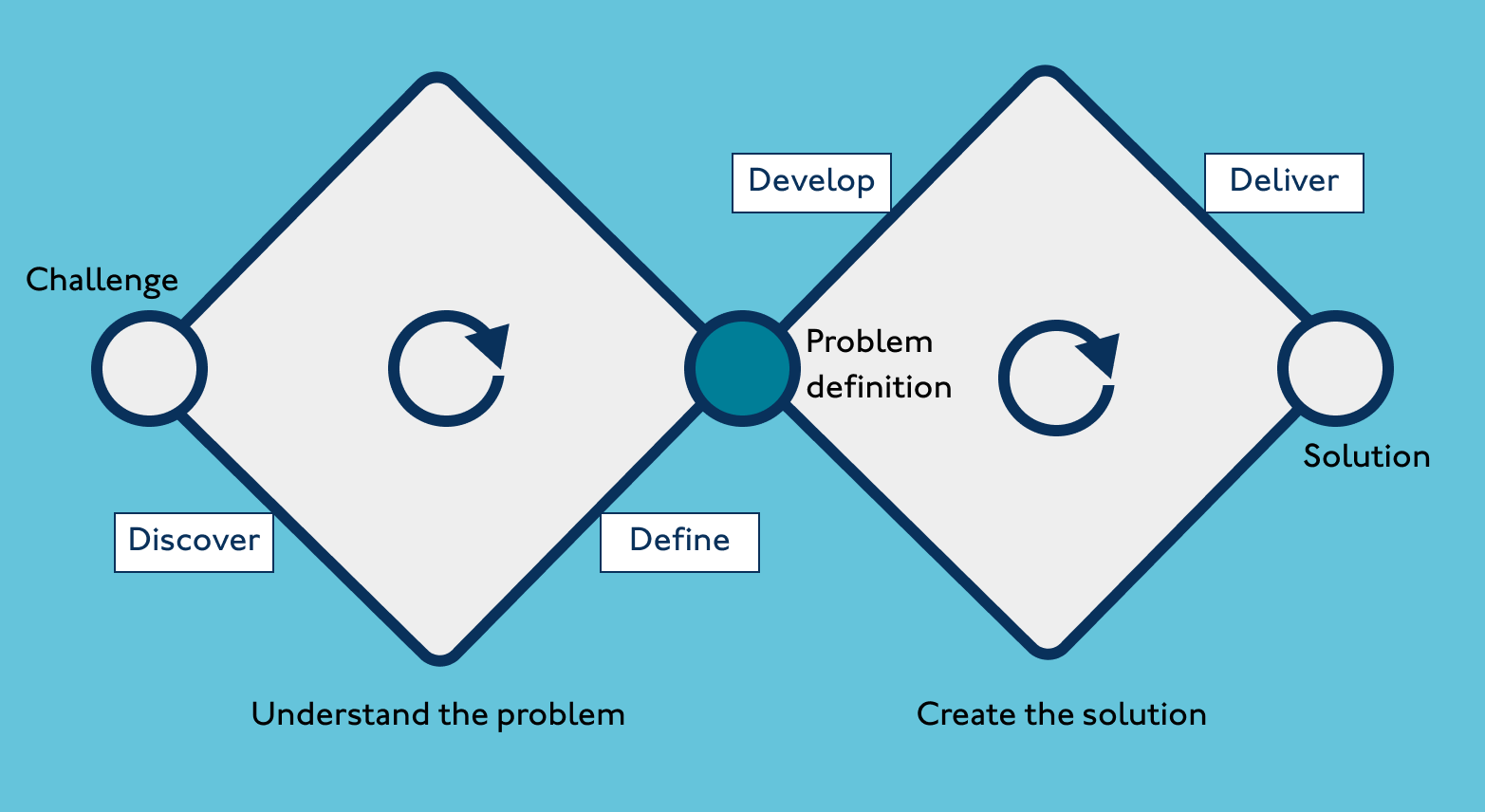
Typical activities for a Designer in phases
- Understand project details and stakeholders
- Help gather reference materials
- Plans - Discovery plan, research plan
- Contribute to assumptions mapping
- Undertake stakeholder interviews - internal
- Contribute to user interviews - note-taking, affinity mapping results
- Help make user personas
- Systems mapping - often a Business Analyst role for internal and Design role for external context
- Customer journey map - for 'as is' end to end journey
- User journey map - help make 'as is' process map to be focused on
- Map interactions / dependencies
- Summarise discovery phase Sometimes How Might We questions are incorporated at this stage to capture early hypotheses
- Understand project details and stakeholders, if different from discovery
- Based on discovery findings, help generate How Might We questions to capture early hypothesis
- Organise these on a value matrix
- Identify highest ranking elements to work on in priority order
- Use the Lean UX canvas
- Use the Value Proposition canvas
- Help with further user testing to validate assumptions
- Refine a 'to be' Customer Journey
- Refine a 'to be' User Journey
- Use these to generate a flow, task analysis
- Storyboarding
- Content first design as relevant
- Wireframing
- Basic prototypes
- User testing
- Iterate designs and keep testing, building upwards from solid content
- Help development team test feasibility - if code is being used
- If start of coded implementation, help with storymapping and building the backlog
- Establish a method for Lean UX in Agile
- Advocate for UX being at least a sprint ahead
- Contribute to scrum ceremonies - stand-up, review, planning, retrospectives
- Help refine backlogs
- Generate prototypes and sketches for user stories
- Ensure user stories meet user need
- Set hypotheses
- Help with user testing
- Iterate designs
- Liaise and work with Developers to ensure functionality, accessibility and usability are optimal
- Use Figma (inc Dev mode) for design
- Work with Analyst / Architect teams to ensure flow is refined and delivered through build
- Adhere to Design System standards throughout
- If service is at Live, ensure there is a test plan
- Understand measures and baselines to review
- Review UX measures
- Ensure any UX Debt captured is addressed
- Work with Product and Research colleagues to review user / customer feedback
Atomic design
The ADMIRALTY Design System is built on Brad Frost's principles of Atomic Design. Frost's concept also supports the team's approach to prototyping. Content first design enables user journeys and user flows to be coherent in interface designs and interactions once components are incorporated.
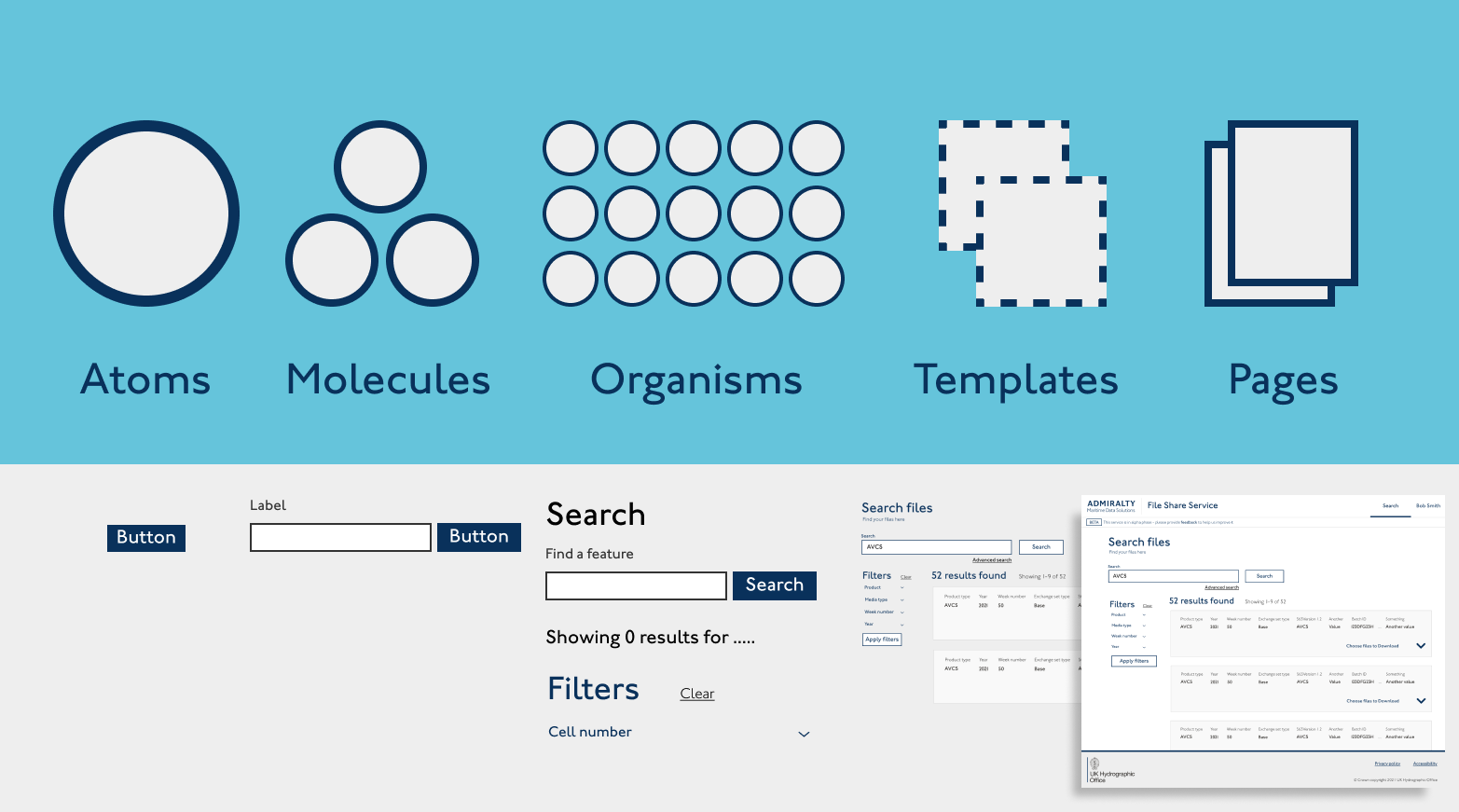
Functional interactions at atom and molecule level, are most helpful to wider teams - and the end user - as part of an overall flow in an organism (pattern) or template. Well-considered user flows, generated from user research and testing, can then be more effectively seen in designs.
Our Design System has atoms and molecules, available as components. Components suggest good ways of navigating (breadcrumbs, side nav) performing complex processes (file input, progress bar, header) and simplifying layout (tab group, typeahead). Patterns exist where a specifc user story has enabled teams to agree a pattern for best practice in a user journey, such as find a location , follow a process or select items in a basket.
Layout
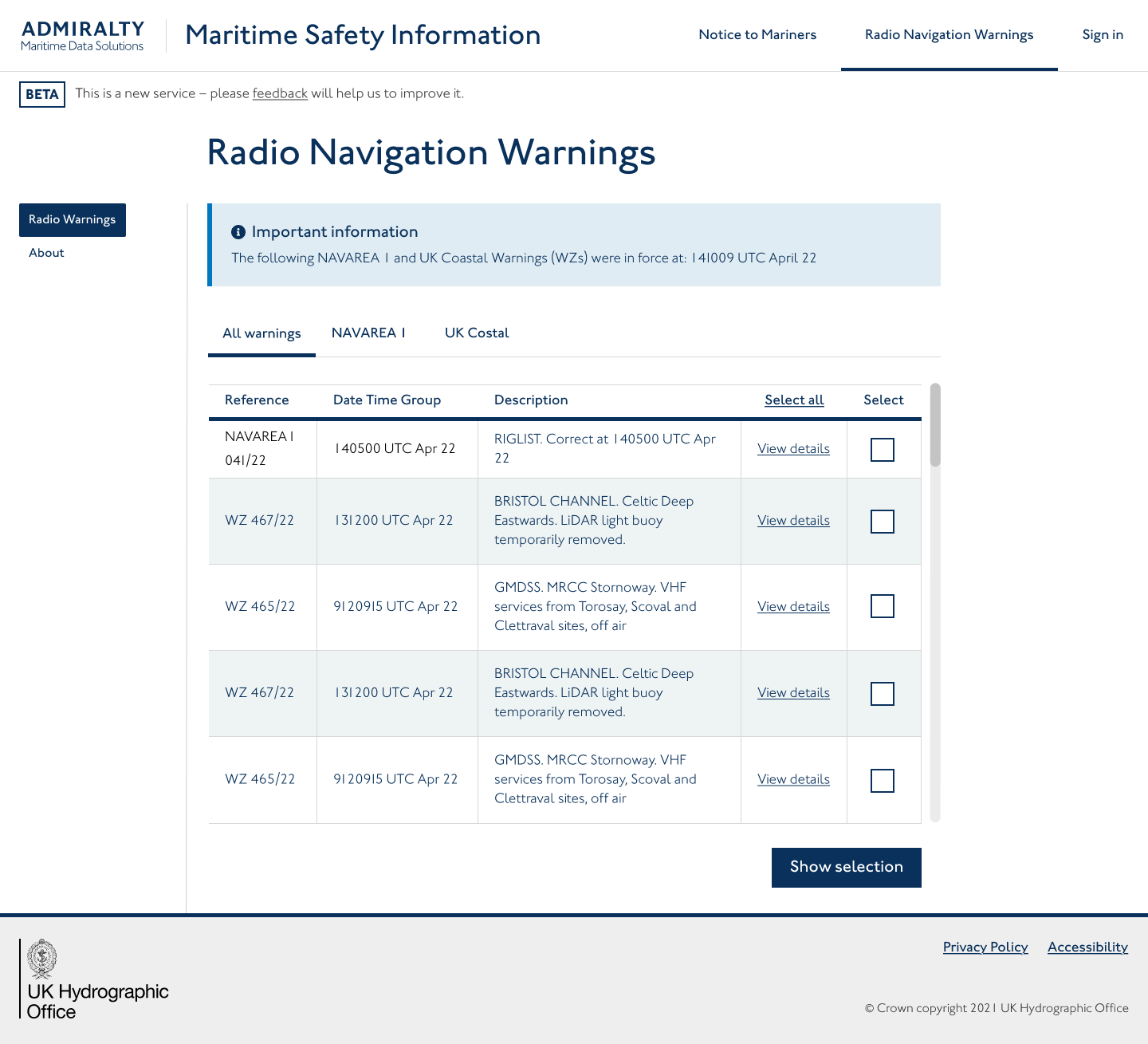
Interaction Designers decide the way the components and patterns are best organised on pages. Clear user flows, content design and clear user joruneys are generated first - all based on user research.
Layout for pages will depend on the device most users access the service on, however, using a mobile first approach for ADMIRALTY services is best.
Use layout to help direct attention, paying particular focus to accessibility standards for page hierarchies and tab structures of the page. Don't overload a page! Set out the flow on a number of pages if necessary.
Practical application
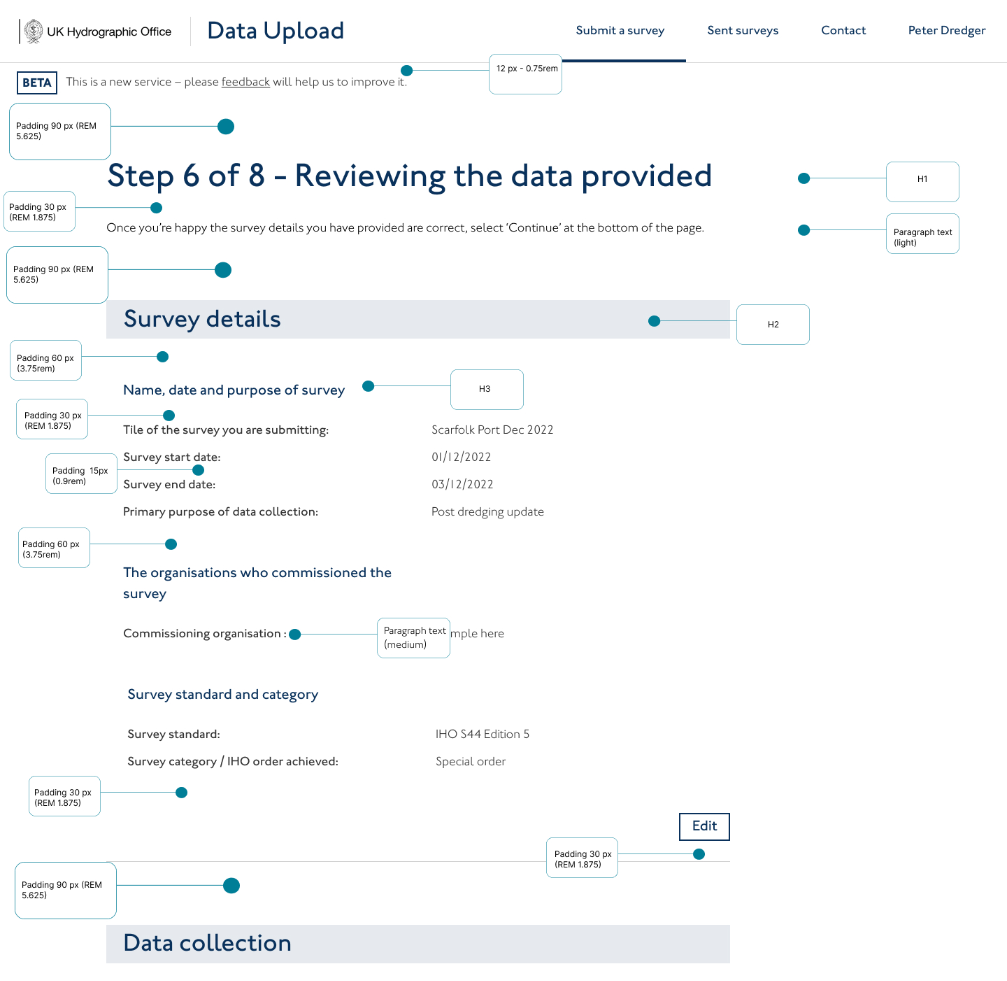
- Use the grids in Figma to place content. Observe correct spacing of frames within margins, and columns, keeping content out of gutters in the grid.
- Use the 8 pixel rule to space elements on a page, as well as the grid
- For best results, use auto layout in Figma adhering to the 8px spacing rules
- Group elements that share contexts
- Use good design hierarchy on page structure, such as rule of thirds " Tables can be organised ways of holding lists, but consider other examples that provide lower cognitive loads for users, while maintaining acessible screen reading needs
- Use outlines on grouped content minimally to keep pages clean
- Follow a content first approach to wireframing and build pages around this to ensure content is coherent and easy to follow for users
- For mobile, ensure content is placed within easy reach of the user's thumb
- Buttons should have a minimum 48px touchpoint for mobile and desktop